
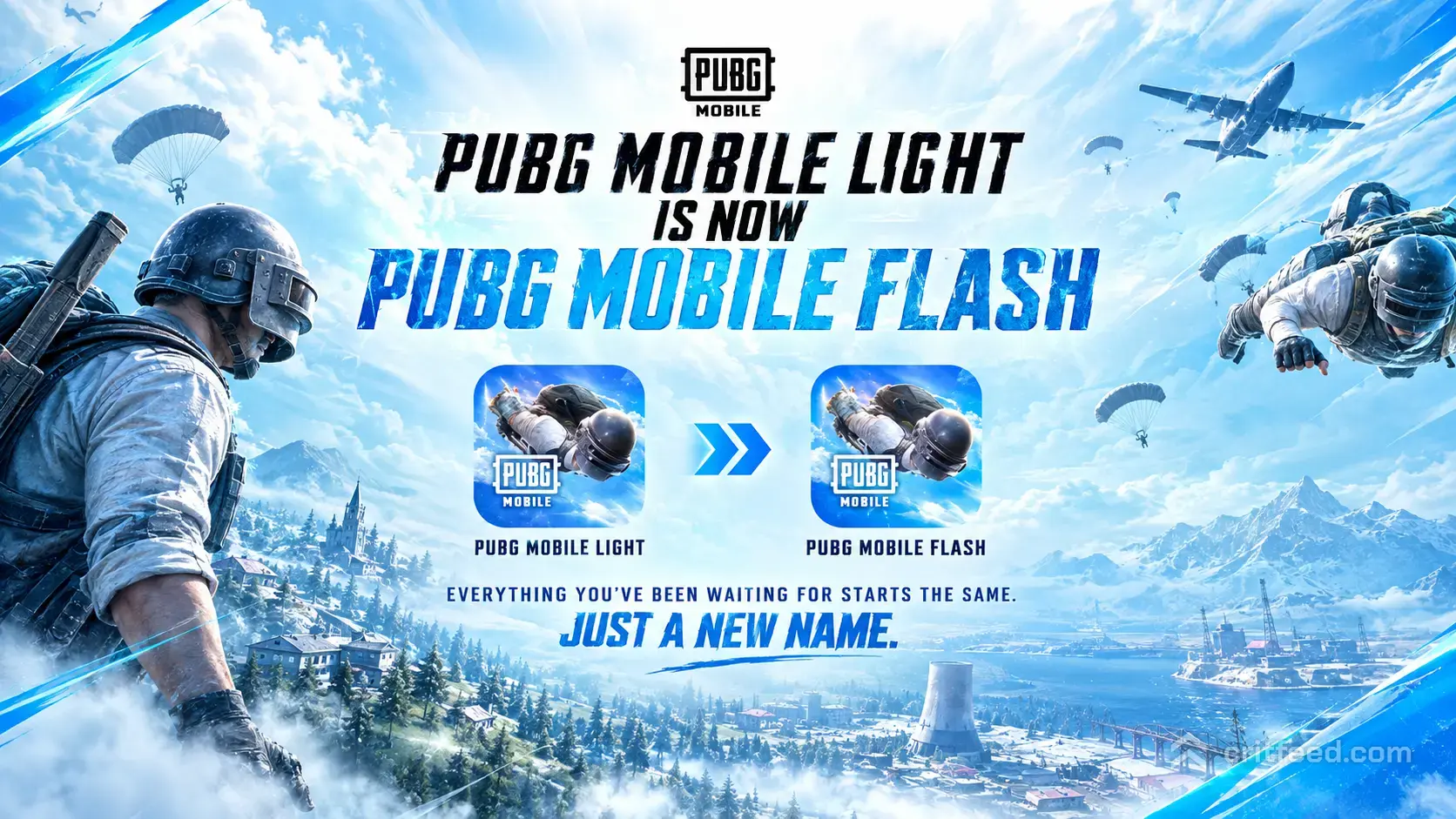
If you’ve ever had your game crash in a final circle or had to delete photos just to fit a 10 GB patch, there is big news for mobile battle royale fans. Level Infinite and Tencent have officially announced PUBG Mobile Flash (formerly introduced as PUBG Mobile Light)—a lightweight client built to bring high-performance gameplay back to budget and mid-range devices.
Unlike the old standalone PUBG Mobile Lite app, this 2026 client connects directly to live PUBG Mobile servers. That means you can squad up with friends on standard clients without sacrificing storage space or dropping frames. Whether you’re a new player looking to adjust your setup with the best PUBG Mobile settings or a veteran tweaking your loadout, this guide covers everything you need to know about the official download, system demands, name rebrand, pre-registration steps, and performance features.
Key Launch Overview
- Name Rebrand: Officially renamed from PUBG Mobile Light to PUBG Mobile Flash
- Pre-Registration Launch: Live since August 25, 2026
- Official Global Release: Scheduled for November 2026
- Supported Platforms: Android (Google Play Store) & iOS (Apple App Store)
- Initial Package Size: ~1 GB (Android) / Under 2 GB (iOS)
- Cross-Play Integration: Full cross-play with standard PUBG Mobile players
- Account Sync: Shared progression, rank, cosmetics, and inventory
PUBG Mobile Flash vs. Legacy PUBG Mobile Lite: Key Differences
Many players confuse the new PUBG Mobile Flash client with the older PUBG Mobile Lite standalone app. While both aim to support lower-spec devices, their underlying game structures are completely different.
1. Unified Servers & Cross-Play
- Legacy PUBG Lite: Isolated on dedicated servers with scaled-down 60-player lobbies on a smaller 2×2 km map.
- New PUBG Flash (2026): Drops you directly into the main live servers alongside standard client users. You can squad up with teammates who use the full app and test your skill across competitive PUBG Mobile ranks on classic maps like Erangel, Miramar, and Sanhok.
2. Full Account & Inventory Synchronization
- Legacy PUBG Lite: Required a completely separate account. Outfits, weapon skins, and rank progression did not transfer.
- New PUBG Flash (2026): Simply sign in with your main account. Your full inventory—including legendary cosmetics like the PUBG Mobile M416 Glacier and high-tier all X-Suit in PUBG Mobile collections—syncs instantly alongside the best PUBG Mobile skins.
3. Modular Download Architecture
Instead of forcing a massive initial 5 GB to 10 GB download, the Flash client uses modular asset management. You download only the core gameplay engine first and choose which additional maps, high-definition audio packs, or ultra-texture files to install later.
System Requirements for Android & iOS
Before downloading, check if your mobile device meets the basic hardware requirements for the Flash client.
| Hardware Feature | Android Requirements | iOS Requirements |
| Operating System | Android 5.1 or higher | iOS 12.0 or higher |
| Minimum RAM | 2 GB RAM | 2 GB RAM |
| Initial Download Size | ~1 GB | Under 2 GB |
| Recommended Free Space | 3 GB to 4 GB | 4 GB to 5 GB |
| Cross-Play Support | Fully Supported | Fully Supported |
If you plan to play on a tablet, choosing the best iPad for PUBG Mobile or another top-tier model from the best tablet for PUBG Mobile list allows you to leverage higher refresh rates, but this Flash client guarantees smooth frame rates even on budget hardware. If you are shopping for a new phone, check which mobile is best for PUBG.
How to Pre-Register for PUBG Mobile Flash
Pre-registration officially opened on August 25, 2026 under the Light name and automatically carries over to PUBG Mobile Flash. Registering ahead of launch ensures you get an automatic store alert or background download as soon as global servers open in November 2026.
Android Pre-Registration (Google Play Store)
- Open the Google Play Store app on your device.
- Search for PUBG MOBILE FLASH (confirm the publisher is Level Infinite / Proxima Beta).
- Tap Pre-register.
- Enable Automatic Install to download the app immediately when servers go live.
iOS Pre-Order (Apple App Store)
- Open the Apple App Store on your iPhone or iPad.
- Search for PUBG MOBILE FLASH.
- Tap Pre-Order or Get.
- Authenticate via Face ID, Touch ID, or Apple ID password to confirm your pre-order.
Optimized Performance & Hardware Features
Super Smooth Graphic Preset
The graphics menu in the Flash client introduces a dedicated Super Smooth preset. This setting disables hardware-intensive post-processing effects, heavy shadows, and detailed particle physics. This allows budget chipsets to maintain a stable 45 to 60 FPS in dense hot-drop engagements.
Once your game runs smoothly, fine-tuning hardware parameters like what is gyroscope in PUBG Mobile gives you precise recoil control during high-speed gunfights. Listening for enemy footsteps is equally vital, so pairing your setup with the best headphones for PUBG Mobile gives you a solid competitive edge.
Thermal Control & Battery Management
By stripping away redundant background processes, the Flash client drastically reduces thermal throttling. Lower temperatures mean your device processor won’t throttle clock speeds mid-match, protecting battery health and maintaining continuous low-latency input responses.
Control Flexibility & Emulators
Whether you prefer standard touch controls, custom layout setups, or alternative input methods, the Flash client keeps identical customization options. If you prefer keyboard and mouse mechanics, check our full guide on how to play PUBG Mobile on PC using the best emulator for PUBG Mobile like GameLoop, which will natively support the Flash client at launch.
Combat Strategy & Equipment Management
Running a streamlined client does not alter in-game combat mechanics or weapon stats. Mastering core weapon selection remains essential for ranking up:
- Primary Assault Rifles: Pair versatile ARs with close-range attachments. Check out our detailed list of the best guns in PUBG Mobile to build optimal loadouts.
- Long-Range Precision: Secure high-ground vantage points and master long-distance combat using a bolt action rifle in PUBG for one-shot elimination potential.
- Network Stability: Because you’re playing on competitive live servers, using the best VPN for PUBG Mobile can help stabilize routing pings if you encounter local ISP routing throttle issues.
Comparing Mobile Battle Royales
For players evaluating competitive mobile shooters, platform optimization plays a major role in overall match stability. You can see how the game compares to other titles in our direct head-to-head analysis of PUBG Mobile vs COD Mobile.
| Feature | PUBG Mobile Flash | COD Mobile |
| Engine Focus | Large-scale 100-player tactical battle royale | Fast-paced arena multiplayer & BR |
| Initial Client Size | ~1 GB (Android) / Under 2 GB (iOS) | ~2.5 GB to 3.5 GB |
| Hardware Overhead | Ultra-low thermal footprint | Medium to high graphic demands |
| Server Cross-Play | Native cross-play with full client | Standard unified server pool |
Looking at global versions, players in China access Game for Peace, while regional variations like BGMI serve Indian markets following historical changes regarding why PUBG was banned in India.
Pre-Registration & Launch FAQ
Why was PUBG Mobile Light changed to PUBG Mobile Flash?
Tencent and Level Infinite rebranded the project to PUBG Mobile Flash to highlight its speed, fast loading times, and instant cross-play integration with main live servers, distinguishing it from the older, standalone PUBG Mobile Lite.
When is the official PUBG Mobile Flash release date?
The full global launch is scheduled for November 2026, following the pre-registration window that opened on August 25, 2026.
Will I lose my current rank or account data if I play on the Flash client?
No. Your account data, career stats, unlocked cosmetics, and current rank sync automatically across both clients.
Can I purchase UC inside the Flash client?
Yes, the in-game shop and UC purchasing systems are fully integrated. If you are looking for legitimate ways to acquire in-game currency without spending money, read our guide on how to get free UC in PUBG Mobile.
Can I change my in-game name after logging into the Flash version?
Yes, Name Change Cards work normally in your inventory. If you need step-by-step instructions on updating your gamer tag, see how to change name in PUBG Mobile.
How does this release impact the overall player base?
By lowering storage and memory requirements, the Flash client significantly boosts accessibility. You can read more about overall active user trends in our breakdown of the PUBG Mobile player count. It also opens pathways for more players to follow competitive esports events like the PUBG Mobile Esports Nations Cup and global tournaments like PMGC 2026.
Pre-registering through the official app stores guarantees you secure early access notifications and exclusive launch rewards. Bookmark this page for direct installation guides as the global rollout approaches in November 2026!