
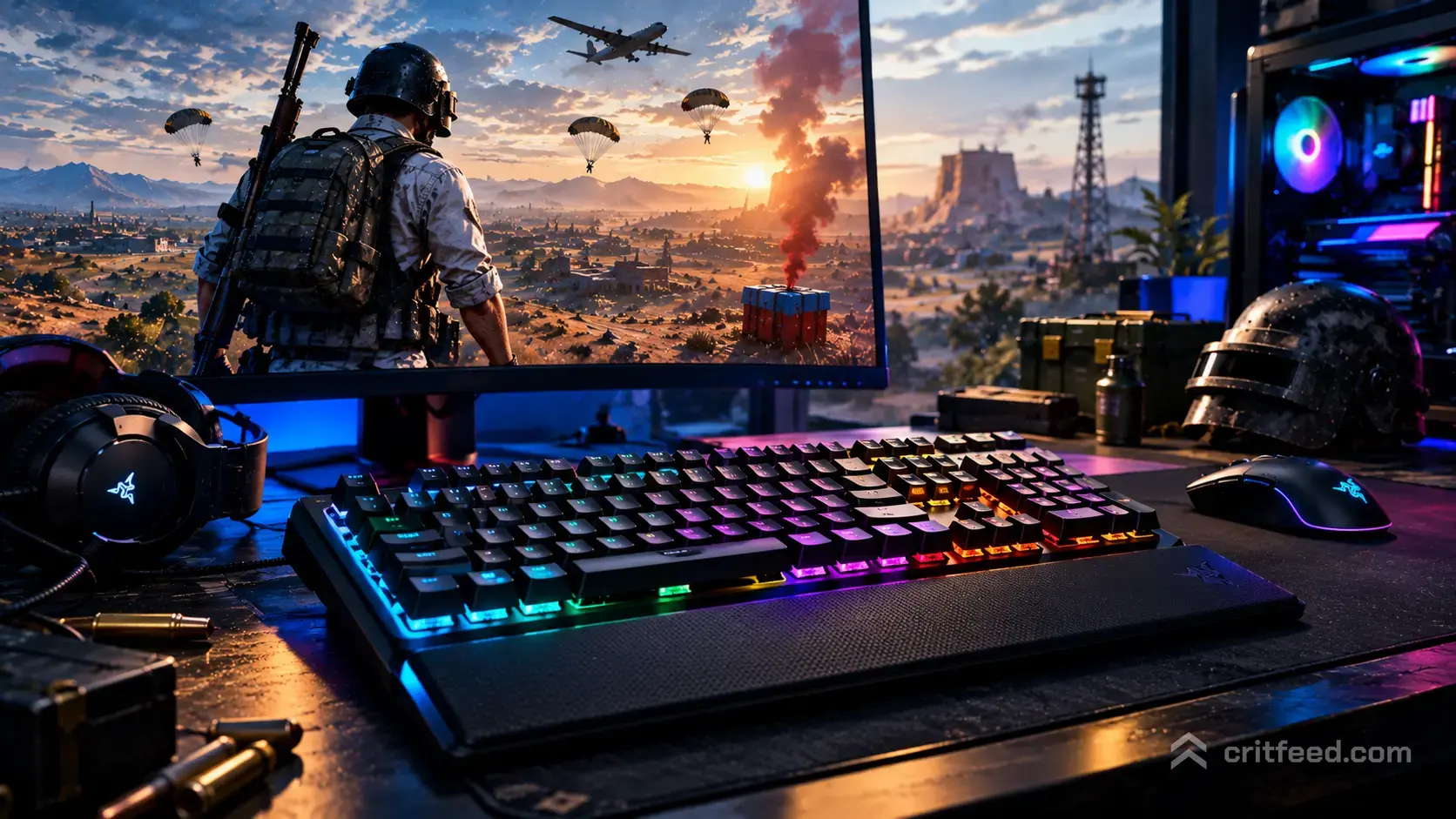
Picking the best keyboard for PUBG comes down to speed, consistency, and comfort during long sessions on Erangel and Miramar. The right board shaves milliseconds off your peeks, keeps your fingers fresh across the full circle rotation, and makes crouch-jump plays feel natural. We will walk you through what matters, which switch types dominate competitive PUBG PC right now, and the specific boards worth your money.
What Actually Matters for PUBG PC
PUBG is not pure aim like a tac-shooter. You are constantly swapping between weapons, flipping to inventory, dropping heals, tagging grenades, and leaning around cover. Your keyboard touches almost every one of those actions.
Here is what separates a great PUBG board from a generic gaming slab:
- Low actuation and fast reset: lets you fire healing items or lean-strafe without delay
- Rapid Trigger or adjustable actuation: Hall Effect and magnetic switches let you tune per key
- N-Key Rollover and 1,000 Hz+ polling: so Shift + W + A + Space + 4 all register at once
- Stable, quiet enough for comms: your squad does not want to hear you clack through third-partying callouts
- Form factor that fits your mouse arm: TKL or 65% gives you space for wide sweeps
Bottom line: for PUBG specifically, a Hall Effect or magnetic board with Rapid Trigger is the current ceiling. A great mechanical TKL is still excellent and often cheaper.
Switch Types Ranked for PUBG
Hall Effect / Magnetic Switches (Top Tier)
These use magnets and sensors instead of metal contacts. You can set actuation anywhere from roughly 0.1 mm to 4.0 mm per key, and enable Rapid Trigger so the key resets the instant you lift your finger.
For PUBG, this means:
- Crouch-spam and lean-strafe inputs feel instant
- You can set W/A/S/D ultra-light for movement, but keep R (reload) or 4 (grenades) deeper to prevent misfires
- No debounce delay
Optical Switches (Great)
Use a light beam to register presses. Faster than traditional mechanical because there is no metal contact bounce. Durable and consistent, though usually without per-key actuation tuning.
Mechanical (Still Excellent)
Linear switches like Cherry MX Reds, Gateron Yellows, or Kailh Speed Silvers remain the staple for FPS. Tactile switches (MX Browns) are fine but the bump can slow rapid taps.
Avoid clicky switches (MX Blues) for competitive PUBG. The reset point sits above the actuation point, which hurts rapid re-pressing on crouch and lean keys.
Our Top Keyboard Picks for PUBG PC
Best Overall: Wooting 60HE / 80HE
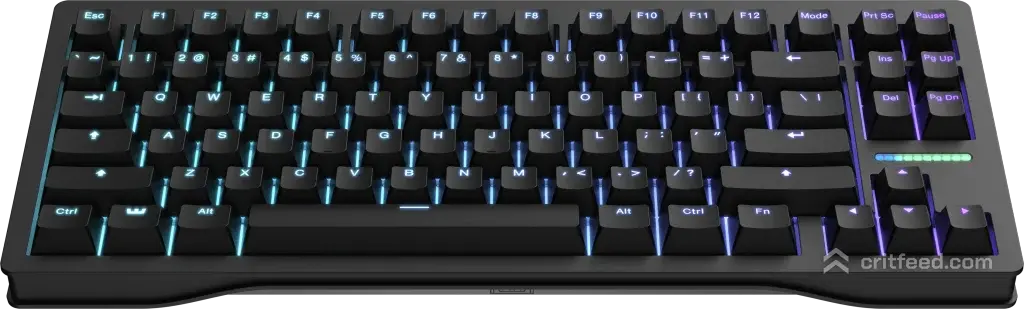
The Wooting boards are the gold standard for competitive FPS right now. Lekker magnetic switches, per-key Rapid Trigger, and actuation adjustable in tiny increments. The 60HE is tiny enough to give your mouse arm the entire desk. The 80HE adds a function row and arrow keys for players who want media controls without going full TKL.
If you want to understand how a lower actuation point changes your inputs across the board, pair it with best PUBG settings tuned to match.
Best TKL: Razer Huntsman V3 Pro TKL
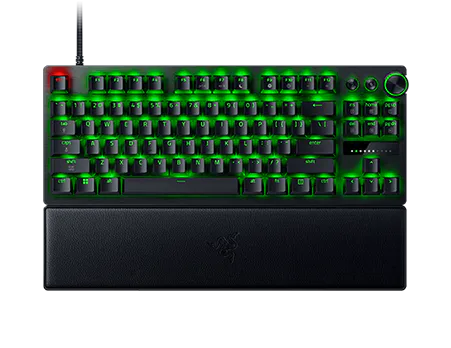
Razer’s analog optical switches offer similar Rapid Trigger behavior with a familiar TKL layout. Doubleshot PBT keycaps, aluminum top plate, and 8,000 Hz polling. A safe pick if you want big-brand support and a stable warranty path.
Best Full-Size: Corsair K70 Max
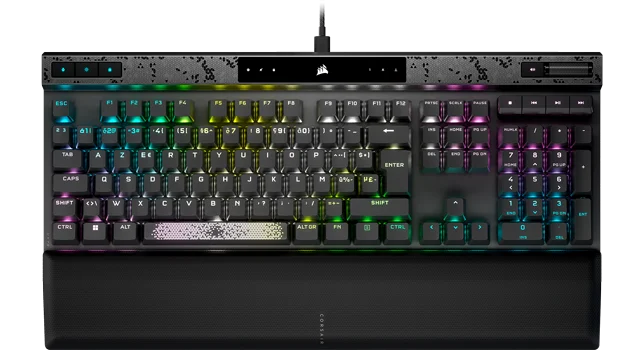
Magnetic MGX switches, adjustable actuation per key, and a volume wheel. Full-size works if you use the numpad for inventory macros or stream deck replacements, though most PUBG pros skip the numpad.
Best Budget Hall Effect: Keychron Q1 HE / Lemokey L3
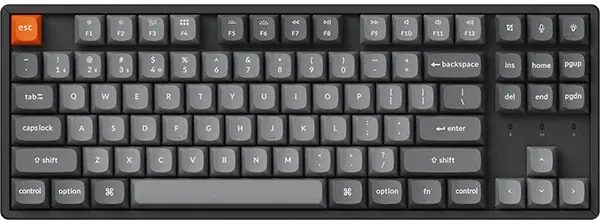
Keychron brought HE pricing down hard. Gasket mount, hot-swappable, QMK/VIA for the Q line. You get Rapid Trigger and solid build quality for roughly half what a Wooting costs.
Best Mechanical Pick: Logitech G Pro X TKL
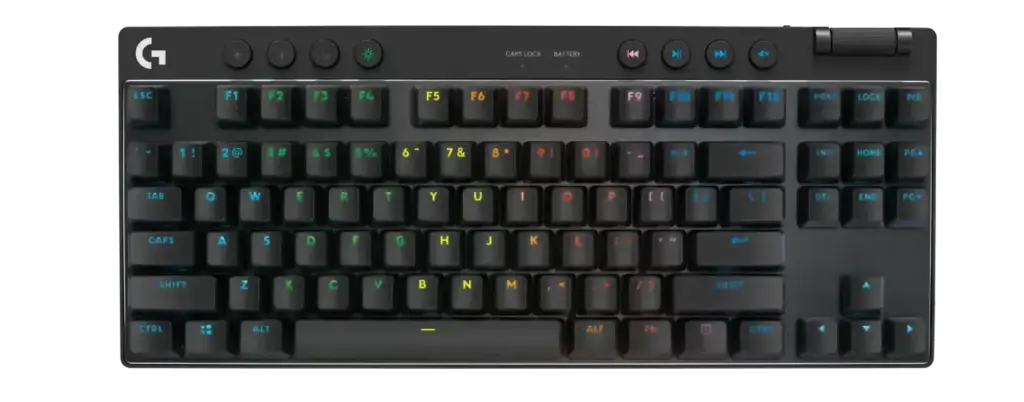
If magnetic feels like overkill, Logitech’s GX linear or clicky swappable switches on the G Pro X TKL remain popular with pro FPS players. Lightspeed wireless if you want cable-free. It will not match a Wooting in raw speed but the difference is small for most players.
Best 60% Mechanical: Ducky One 3 Mini
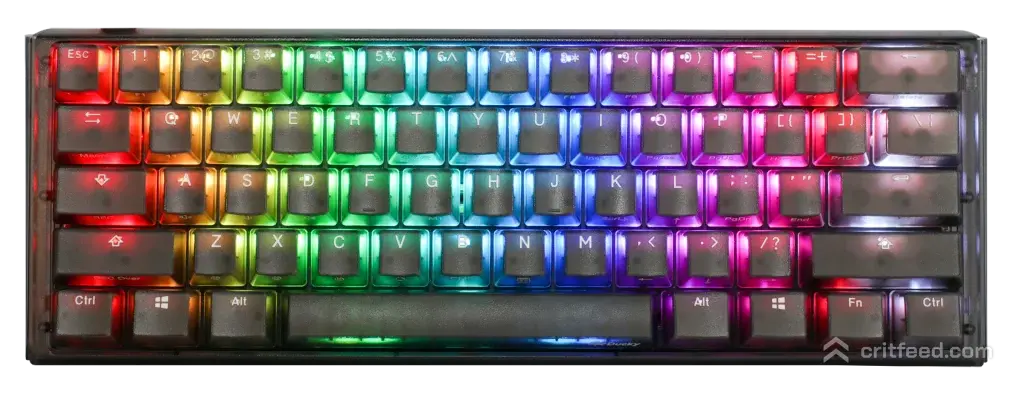
PBT keycaps, hot-swap sockets, QUACK Mechanics stabilizers. A proper 60% for players who want zero wasted desk space and like to tinker with switches.
Quick Comparison Table
| Keyboard | Switch Type | Layout | Rapid Trigger | Best For |
|---|---|---|---|---|
| Wooting 60HE | Lekker magnetic | 60% | Yes | Pure competitive PUBG |
| Wooting 80HE | Lekker magnetic | TKL | Yes | Comp players who want arrows |
| Razer Huntsman V3 Pro TKL | Analog optical | TKL | Yes | Brand reliability |
| Corsair K70 Max | MGX magnetic | Full-size | Yes | Numpad users |
| Keychron Q1 HE | Gateron magnetic | 75% | Yes | Budget-friendly HE |
| Logitech G Pro X TKL | GX linear/tactile | TKL | No | Classic mechanical fans |
| Ducky One 3 Mini | Cherry MX / hot-swap | 60% | No | Enthusiast builders |
Form Factor: Which Size Should You Buy?
Your mouse arm needs room. In PUBG, long sweeps for 180 flicks and tracking a strafing enemy at mid-range benefit from a smaller board.
- 60% / 65%: maximum mouse space, no F-row (hold Fn), no arrows on 60%. Ideal if your DPI is low and you make big arm movements
- TKL (80%): keeps the F-row and arrows, removes numpad. The sweet spot for most PUBG players
- 75%: compact TKL layout with arrows crammed in. Good middle ground
- Full-size: only pick this if you actively use the numpad
Pair your board choice with the best gaming mouse for PUBG so the two work together on sensitivity.
PUBG Keybind Setup Tips
A fast keyboard only pays off if your binds are smart. A few habits from PGC-level play:
- Lean on Q and E stays standard. Rapid Trigger makes quick-peek strafes much tighter here
- Crouch on C or Left Ctrl: if you crouch-spam during fights, bind it to a key you can hammer. Thumb to Space, pinky to Ctrl works well
- Jump on Space, prone on X: avoid Z for prone since it is a stretch
- Heals on 7, 8, 9, 0: default, but consider rebinding boost (energy drink, painkiller) to easier keys like F1, F2 if your board supports it
- Hold Breath on Shift: default and fine for most. Only remap if Shift is also your run key and you need to free it up
- Weapon swap on 1, 2, 3: use the scroll wheel too for faster swaps
If you are still refining your sensitivity and FOV alongside your binds, our PUBG crosshair guide covers the visual side of close-range engagements.
Wired vs Wireless for PUBG
Wired is still the default recommendation for competitive FPS. The latency gap has closed, but a quality wired board removes battery anxiety entirely. If you go wireless, stick to boards with 2.4 GHz dongles (not Bluetooth) and polling rates of 1,000 Hz or higher. Logitech Lightspeed and Razer HyperSpeed are proven.
Features That Are Nice But Not Essential
- RGB: zero performance benefit, pure vibe
- Media wheels and macro keys: useful for streamers, not needed for PUBG inputs
- Hot-swap sockets: handy if you want to try different switches later
- PBT keycaps: outlast ABS by years, worth it for daily drivers
- Software profiles: let you save a PUBG-specific actuation layout separate from your typing profile
Settings to Pair With Your New Board
Buying the board is step one. The next step is tuning your inputs. Our breakdown of the best guns in PUBG will help you prioritize which keybinds matter most for your preferred loadout, and the PUBG weapons and attachments guide pairs well if you want to speed up your inventory flow.
For Hall Effect boards, our recommended starting actuation points for PUBG:
| Key | Actuation Depth |
|---|---|
| W, A, S, D | 0.3 – 0.5 mm |
| Space (jump) | 0.5 mm |
| Ctrl / C (crouch) | 0.3 mm |
| Q, E (lean) | 0.4 mm |
| R (reload) | 1.5 – 2.0 mm |
| 1-5 (weapons/throwables) | 1.5 mm |
| 7-0 (heals) | 2.0 mm |
Deeper actuation on reload and heals prevents misfires in panic moments. Shallow actuation on movement keeps your strafes crisp.
The Bottom Line
The best keyboard for PUBG right now is a Hall Effect or magnetic-switch board with Rapid Trigger, in a TKL or smaller layout. The Wooting 60HE and 80HE lead the field, but the Razer Huntsman V3 Pro TKL, Corsair K70 Max, and Keychron Q1 HE are all strong depending on your layout preference and budget. If you prefer traditional mechanical, the Logitech G Pro X TKL and Ducky One 3 Mini remain fine picks.
Whatever you buy, spend an hour tuning actuation points and keybinds before your first match. A great board on default settings will lose to a mid-tier board that has been dialed in for how you actually play.