
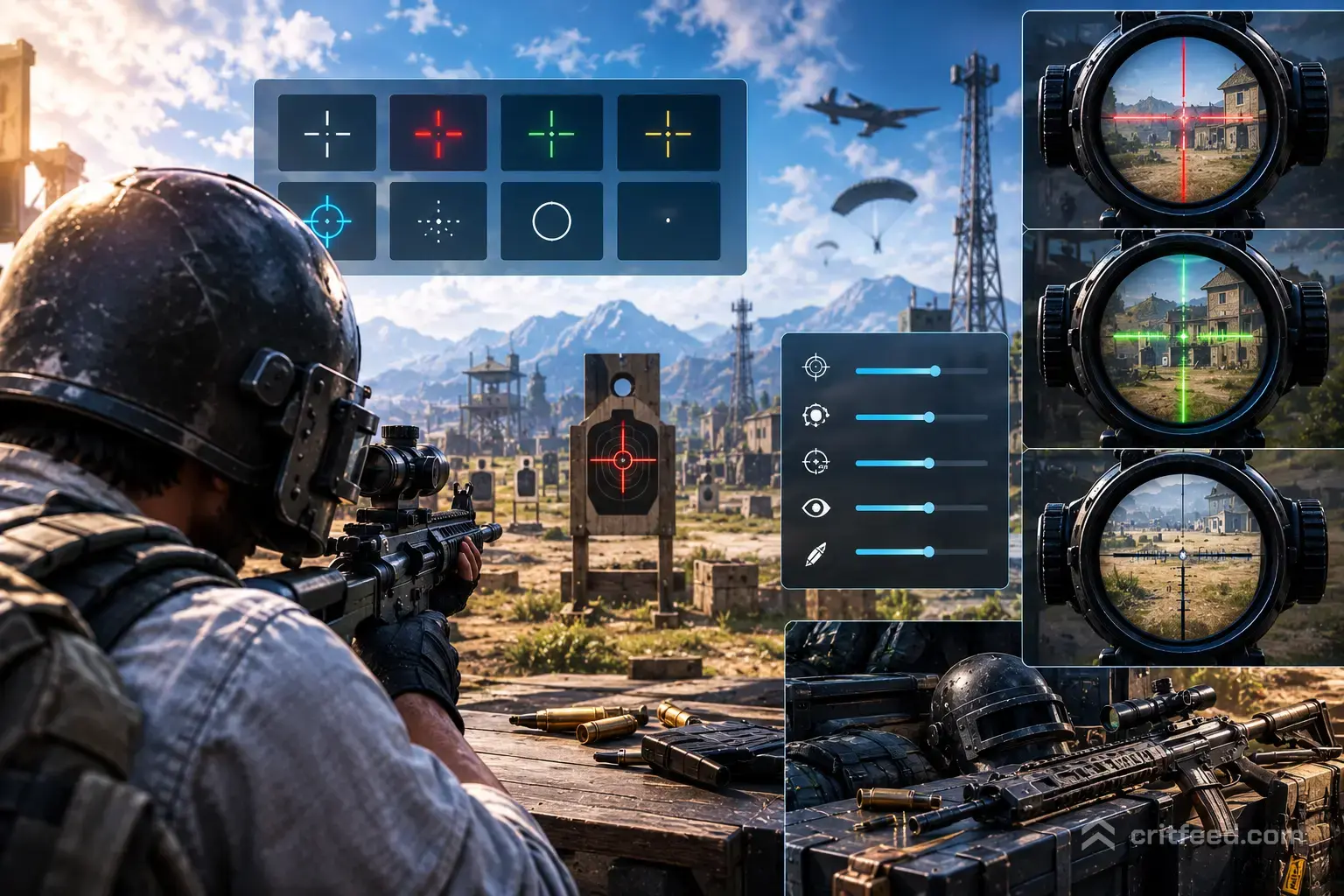
Your PUBG crosshair is the single most important pixel on your screen — miss the tuning and you’ll miss the shot. PUBG: BATTLEGROUNDS on PC does not ship with a fully customizable universal crosshair like some tactical shooters, so getting the most out of what the game gives you means understanding hip-fire dots, ADS reticles, and scope crosshair color options. This guide breaks down every crosshair-related setting on PC, plus the workarounds pros actually use.
Does PUBG PC Have a Custom Crosshair?
Short answer: not in the way Valorant or CS2 does. PUBG: BATTLEGROUNDS on PC uses a fixed hip-fire reticle (a small white dot with dynamic bloom) and weapon-specific ADS reticles. You cannot resize the hip-fire dot or change its shape from the in-game menu.
What you can customize on PC:
- Scope crosshair color on Red Dot, Holographic, 2x, 3x, 4x, 6x and 8x scopes
- Scope crosshair style on select optics (dot vs. chevron on the Red Dot, for example)
- Color blind mode, which affects how the reticle and hit markers appear
- HUD scale and opacity, which changes how visible the reticle feels against the world
Anything beyond that — a permanent center dot, custom shapes, external overlays — falls into third-party territory, which we cover below.
How to Change Your PUBG Crosshair Color and Style
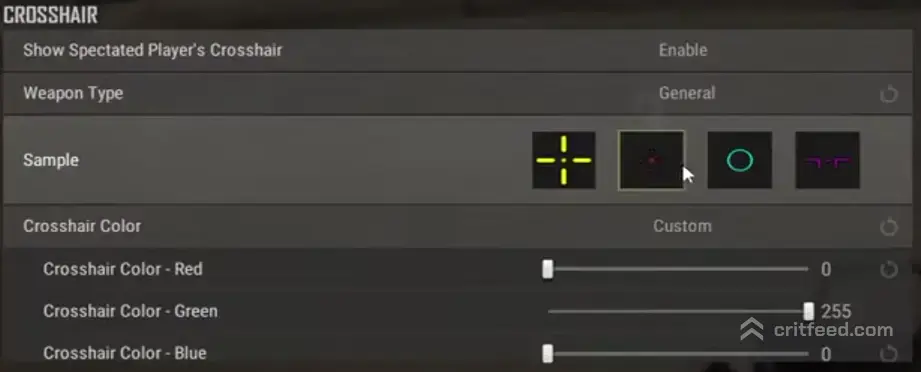
Krafton lets you personalize each scope’s reticle from the inventory screen. Here’s the exact path on PC:
- Load into the Main Menu or a match
- Open your Inventory (default key: Tab)
- Right-click the scope attachment (Red Dot, Holographic, 2x, etc.)
- Select Customize
- Choose your color and, where available, your reticle style
- Confirm — the change saves per-scope and persists across matches
Key point: each optic is customized independently. Changing your Red Dot to green does not change your 4x. Set them one by one before your ranked session.
Recommended Colors by Scope
| Scope | Recommended Color | Why |
|---|---|---|
| Red Dot | Cyan or Green | Pops against Erangel/Taego foliage |
| Holographic | Green | Cleaner center point at close range |
| 2x Aimpoint | Cyan | High contrast on desert tones (Miramar) |
| 3x Backup | Yellow | Stands out on snow (Vikendi) |
| 4x ACOG | Red (default) or Yellow | Default chevron already reads well |
| 6x Variable | Yellow | Best against distant tree lines |
| 8x Variable | Red | Precision at long range, minimal obstruction |
If you’re new to the game, pair these tweaks with our PUBG beginner guide to get the fundamentals right before you fine-tune optics.
The Hip-Fire Dot: What You Need to Know
The white hip-fire dot in PUBG PC is fixed. It cannot be recolored or resized through the settings menu. What changes its behavior is:
- Weapon type — SMGs and shotguns keep the dot tighter than DMRs at hip-fire
- Movement — sprinting expands the bloom radius
- Stance — crouching and prone shrink the effective spread
Bottom line: don’t rely on the hip-fire dot past roughly 10 meters. Tap ADS with your right mouse button and use the scope reticle instead. Correct ADS discipline is worth more than any crosshair tweak.
External Crosshair Overlays: Are They Allowed?
This is the question that comes up constantly on Reddit and community forums — can you run a third-party overlay that puts a permanent dot in the middle of your screen for hip-firing or peek-corner reference?
Krafton’s stance: any software that injects, overlays, or modifies the game client can be flagged by the anti-cheat system (BattlEye). Even “harmless” overlay apps that draw a dot on top of the game have led to bans in the past because BattlEye cannot always distinguish an overlay from a cheat hook.
Safer alternatives that do not touch the game:
- Monitor-based crosshairs — many modern gaming monitors (ASUS, MSI, LG, BenQ) include a built-in crosshair overlay drawn by the monitor itself, not injected into the game. This is BattlEye-safe because it happens at the hardware layer.
- A tiny piece of tape in the exact center of your screen — old-school, works, zero risk.
- In-game reticle color adjustment — get the most out of what’s officially supported.
We do not recommend software overlays. The ban risk is real and unappealable.
Sensitivity: The Other Half of the Crosshair Equation
A perfectly colored reticle means nothing if your sensitivity fights you. PUBG PC uses separate sensitivity sliders for each scope level, which is unusual and powerful once you tune it.
Recommended starting points for 800 DPI:
| Setting | Value |
|---|---|
| General Sensitivity | 50 |
| Vertical Sensitivity Multiplier | 1.00 |
| Aim (Hip-fire) | 50 |
| ADS (Iron Sights / Red Dot) | 42 |
| 2x Scope | 40 |
| 3x Scope | 38 |
| 4x Scope | 33 |
| 6x Scope | 22 |
| 8x Scope | 15 |
These are baselines, not gospel. Adjust in a range from -15% to +15% based on how your wrist tracks. For a full breakdown of graphics, keybinds and audio, check our best PUBG settings guide.
Pro Tips to Get More From Your Crosshair
Small habits that pay off more than color changes:
- Pre-aim head height. Keep your reticle at chest-to-head level when moving through compounds. This turns reaction fights into flicks of 5 pixels, not 50.
- Learn each optic’s zero. The 4x ACOG chevron tip is your zero at 100m; the horizontal ticks below it are 200, 300, 400 and 500m. Aim with the tick, not the tip, for long shots.
- Use color-blind mode intentionally. Even players with normal vision sometimes prefer Protanopia or Deuteranopia mode for how it renders blood hit-flashes.
- Match your reticle color to the map. Cyan on Erangel, yellow on Vikendi, red on Miramar. Reset before each queue if you rotate maps.
For more tuning tricks and habits used by high-tier squads, our PUBG tips and tricks page goes deeper into positioning and engagement rules.
Weapon and Attachment Matter More Than Color
The truth pros will tell you: a compensator and vertical grip do more for your accuracy than any crosshair color. Recoil control is the real skill test. Once your muzzle attachment kills vertical kick, your reticle can be dogshit-brown and you’ll still hit shots.
Pair your crosshair setup with the right loadout using our PUBG best weapons and attachments breakdown, and lock in your map-specific rotations with the full PUBG map guide.
The Bottom Line
PUBG: BATTLEGROUNDS on PC does not offer a fully custom crosshair system, but you have real control over scope reticle color and style, per-scope sensitivity, and HUD contrast. Change colors per optic in the Customize menu, avoid third-party overlays because of BattlEye risk, and use a monitor-built-in crosshair if you want a permanent center dot.
Fine-tune your reticle colors tonight, dial in your ADS sensitivity in the training range, and you’ll feel the difference in your very next drop.