
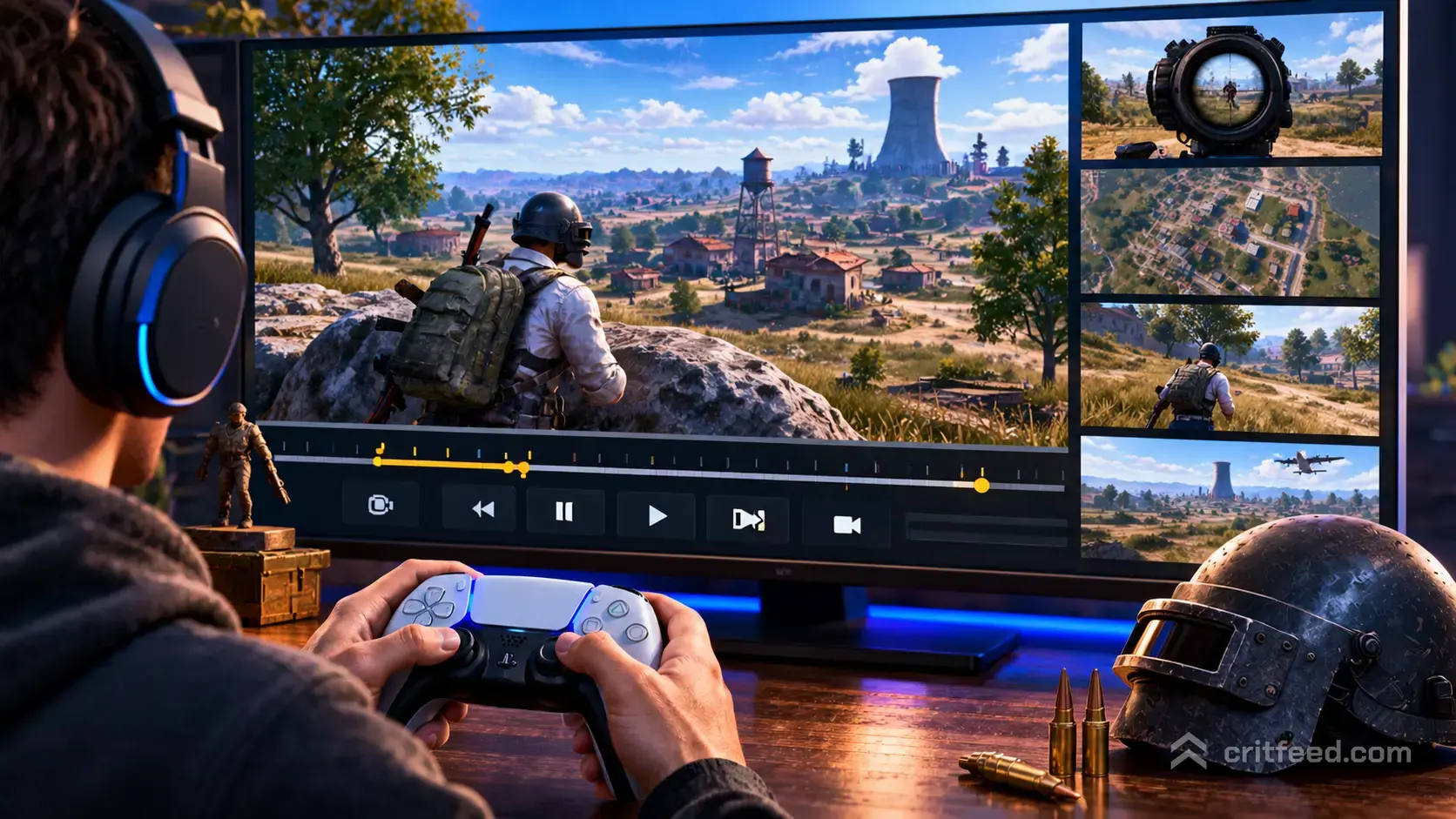
The PUBG replay system is one of the best tools for improving your game, but the pubg replay controls are not clearly explained in-game. If you want to rewind that unfair death, scrub to the fight that cost your squad the chicken dinner, or fly the free camera over a messy final circle, you need to know which keys do what. Here is the full breakdown.
How to Open a Replay in PUBG
Replays live inside the main menu, not the match results screen. You can review any recent match the client has saved locally.
- From the lobby, click your profile or the Replays tab in the career menu.
- Pick the match you want to watch from the list.
- Press Play to load the replay in the match engine.
Replays are stored on your PC, so they can be deleted automatically as new matches overwrite the oldest files. If a match matters to you, mark it as a favourite so the client stops rotating it out.
The Core PUBG Replay Controls
Once a replay is loaded, the controls split into three groups: playback (time), camera (space), and targeting (who you are watching). The on-screen timeline shows the full match from the plane to the final kill.
| Action | Default Key |
|---|---|
| Play / Pause | Spacebar |
| Fast Forward | Right Arrow |
| Rewind | Left Arrow |
| Skip Forward (larger jump) | Shift + Right Arrow |
| Skip Backward (larger jump) | Shift + Left Arrow |
| Playback Speed Up | + (plus) |
| Playback Speed Down | – (minus) |
| Toggle Free Camera | Tab |
| Toggle HUD | U |
| Toggle Player Nameplates | H |
| Next Player | ] |
| Previous Player | [ |
The timeline is draggable. You can click any point on the bar at the bottom of the screen to jump straight to that moment, which is faster than mashing the arrow keys for a two-minute skip.
Playback Speed and Scrubbing
Speed control is where most players waste time. The replay runs at 1x by default, but you can push it faster to skip the plane ride or slow it down to frame-check a shot.
- Press + to step up through 2x, 4x and 8x playback.
- Press – to step back down, all the way to 0.1x for slow motion.
- Spacebar always pauses, no matter what speed you are at.
For a quick workflow: skip the first few minutes at 8x, drop back to 1x when the first fight starts, then use 0.25x when you want to see exactly who shot you first.
Switching Between Players
The replay only follows one player at a time, but you can jump to anyone on the server. This is the single most useful feature if you want to learn from better squads.
- [ and ] cycle through players.
- You can also click a name on the kill feed or the player list to lock onto them.
- Watching your killer’s POV right after your death is the fastest way to spot the angle or scope glint you missed.
If you are reviewing a squad fight, flick between all four of your teammates to see who called what, who flanked, and who ate a stray bullet while reviving.
Using the Free Camera
The free camera is where PUBG’s replay system goes from “clip tool” to “coaching tool”. Press Tab to detach from the player you were watching, and you can fly anywhere on the map.
Free camera movement:
- W, A, S, D: move forward, left, back and right
- Space: ascend
- Left Ctrl: descend
- Shift: boost camera speed
- Mouse: look around
Hold Shift while flying to cover ground fast across Erangel or Miramar. Let go to settle into a slow pan when you want a clean angle for a clip. The free camera also respects collision loosely, so you can fly through walls to see inside a compound without breaking the shot.
Marking and Clipping Key Moments
The replay timeline shows kill markers along the bar. These are small notches for every elimination in the match, and they are the fastest way to jump to action.
- Hover a kill marker to see who killed whom.
- Click the marker to jump straight to that engagement.
- Use the free camera plus 0.25x speed to scrub through the exact second a trade happened.
For external clipping, PUBG does not have a built-in editor. Most players use Windows Game Bar, OBS, or dedicated review tools to record the replay window as it plays back.
Reviewing the Blue Zone and Rotations
The replay keeps the full circle and blue zone data. Fly the free camera up to altitude and you can see every phase overlay as it ticks down. This is where you spot bad rotations.
- Pause at the end of each phase and check where your squad was standing versus the next circle.
- Trace the route your squad took on the minimap and ask whether a shorter path existed.
- Look for third-partying angles you did not notice during the fight.
If you are new to reading circle pressure, our pubg tips and tricks covers the basics of rotation timing, and the pubg erangel map breakdown shows the compound-to-compound routes that save you from blue damage.
HUD and Camera Toggles
Clean replay footage needs a clean screen. PUBG lets you strip the UI down.
- U: toggle the whole HUD on and off
- H: toggle player nameplates
- M: open the full map
- F1: toggle the help panel with the full keybind list
U is your clip button. Hit it once, start recording, and your footage looks far more professional than a cluttered match view.
Common Problems With PUBG Replays
A few quirks catch everyone out:
- Replays only save recent matches. Older ones get purged. Favourite the ones you care about.
- Game updates can break old replays. After a patch, replays from previous versions sometimes refuse to load. There is no fix. Save clips as video files if you need them long-term.
- The free camera clips through terrain. This is a visual bug, not a feature. Pull back up to altitude if the view gets stuck.
- Audio is from the player you follow. Switch POV if you want to hear a specific firefight from the right angle.
If your replays run badly or stutter, that is usually the same problem that hits live matches, and our pubg lag fix guide covers the settings that help most.
Why Replays Matter for Improvement
Watching your own deaths is the fastest way to climb RP. You can see:
- The exact angle you were shot from
- Whether your crosshair was placed correctly before the fight
- How long you took to react
- Whether your pubg best weapons and attachments choice actually suited the engagement range
Pros do this every match. The free camera lets you watch yourself from behind, from above, or from your opponent’s exact position. You cannot do that live, and it is the single biggest reason PUBG’s replay system is worth learning.
For players still getting the hang of the fundamentals, our pubg beginner guide pairs well with replay review: learn the concept, then watch yourself fail at it, then fix it. If you are deciding where to drop next, the full pubg map guide covers how each battleground changes the review you should be doing.
The One Habit That Changes Everything
Watch the sixty seconds before your death, not after. Every player instinctively replays the moment they got shot, but the real mistake almost always happened earlier: a bad rotation, an exposed sightline, or a push with no utility. Scrub back, go to free camera, and look at where your squad was positioned a full minute before the trade. That is the habit that turns the replay system from a highlight reel into a training tool.