
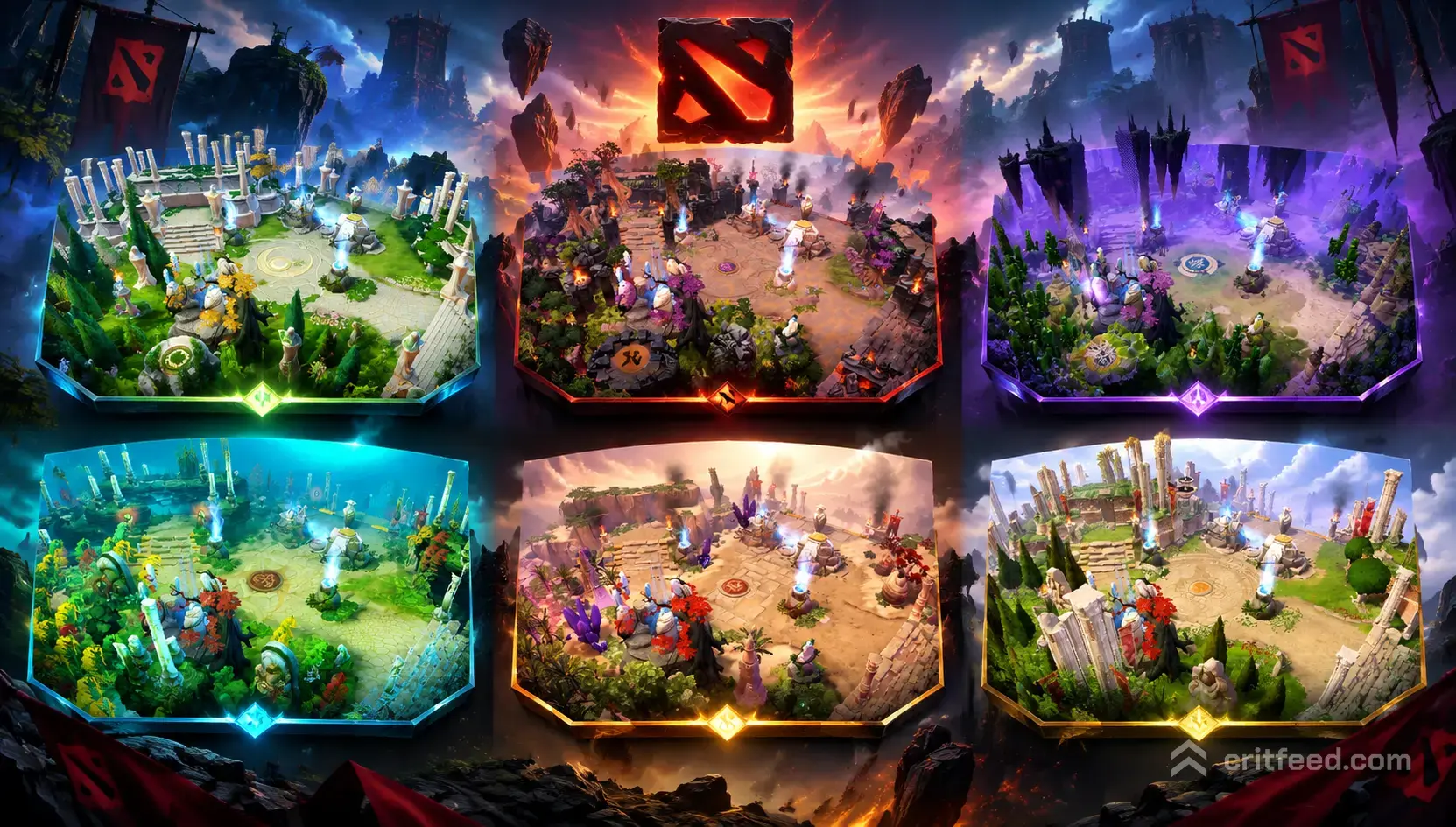
A dota 2 map skin officially called Custom Terrain swaps, the look of the Radiant and Dire jungle for a themed reskin that only you see. It does not change gameplay, lane geometry, camp spots, or Roshan’s pit, but it does give the map a completely fresh coat of paint. Here is exactly how they work, where to get them, and what to expect before you equip one.
What Is a Dota 2 Map Skin?
In Dota 2, a “map skin” is a Custom Terrain cosmetic. When equipped, it replaces the default terrain textures, trees, cliffs, and ambient effects with a themed alternate version of the map.
Key facts to know up front:
- Only you see your terrain. Enemies and teammates still see whatever terrain they have equipped.
- The map layout never changes. Rune spots, camps, wards, ward blockers, Roshan pit, and lane creep paths remain identical.
- It applies to all matches. Custom Terrain works in ranked, unranked, and most standard game modes.
- It is a cosmetic slot. You equip it from the Armory, just like a courier or ward skin.
Because layout stays identical, you can review your fundamentals in a dota 2 map guide without worrying that a skin has moved anything around.
Where to Get a Dota 2 Map Skin
Custom Terrains are not sold in a permanent in-game store the way heroes’ item sets are. They arrive through a handful of routes:
- Battle Pass / Compendium rewards — Valve has historically bundled Custom Terrains as high-tier Battle Pass unlocks.
- Event drops — Seasonal events and Cavern Crawl-style promotions have shipped terrain as level-up rewards.
- Steam Community Market — Most terrains become tradable after a cooldown and can be bought from other players.
- Trades with other users — Steam trading remains the classic route for older terrains that never see a re-release.
The Steam Community Market is the most reliable option for older terrains. Prices swing based on rarity, event age, and whether the terrain was ever re-released.
Notable Custom Terrains Released in Dota 2
Over the years, Valve has shipped a wide range of themed terrains. Here are some of the most recognizable ones:
| Terrain Name | Theme | Typical Release Route |
|---|---|---|
| Reef’s Edge | Tropical island / coastal | Battle Pass |
| Emerald Abyss | Underwater / oceanic depths | Battle Pass |
| Desert Terrain (Sanctums of the Divine) | Sun-scorched desert | Battle Pass |
| Seasonal Terrain (Frostivus) | Snow, ice, and winter forest | Frostivus event |
| Autumnal / Fall Terrain | Autumn foliage | Seasonal event |
| Spring Terrain | Cherry blossoms, pastel colors | Seasonal event |
| Immortal Gardens | Divine, glowing flora | Battle Pass |
| Dark Reef Terrain | Deep-sea horror aesthetic | Battle Pass |
Availability changes over time. If a terrain you want does not appear in your Armory options, check the Steam Community Market listings for that specific name.
How to Equip a Custom Terrain
Once you own a terrain, equipping it takes a few clicks:
- Open Dota 2 and go to Global Items (or Armory in the main menu).
- Filter by Terrain or scroll to the “Terrain” slot.
- Right-click the terrain you want and choose Equip.
- Load into any match the terrain applies automatically.
You can equip only one terrain at a time. To go back to the default, simply unequip it from the same slot.
Do Map Skins Affect Gameplay?
No. This is the most common question, and the answer is a firm no.
- Wards work the same. Vision, high ground, and camp pull timings are unchanged, so your dota 2 warding spots still apply.
- Camps and neutrals spawn on the same tiles.
- Roshan pit and Aegis mechanics are identical your prep for a fight there does not change. If you’re brushing up on that, our dota 2 roshan guide still holds regardless of what your map looks like.
- Rune timings, outpost positions, Tormentors, and Watchers are untouched.
The one honest caveat: some players find certain terrains visually noisier than others. If a terrain has dense foliage, bright colors, or heavy particle effects, it can make small unit outlines slightly harder to read at a glance. This is a personal preference issue, not a mechanical one.
Should You Use a Map Skin?
That depends on what you value.
Reasons to equip one:
- You have hundreds of hours on the default terrain and want a fresh look.
- You collected the terrain from a Battle Pass and want to show it off.
- A seasonal theme (winter, autumn) matches your mood.
Reasons to stick with default:
- You are learning fundamentals and want zero visual variables pairing well with a clean set of dota 2 best settings minimizes distraction.
- You climb ranked seriously and prefer the exact readability of the base map. Consistency matters more than aesthetics when you’re grinding through the dota 2 ranks guide ladder.
- You dislike heavier particle effects or ambient noise.
Tips Before You Buy a Terrain on the Market
If you are buying from the Steam Community Market, keep these in mind:
- Check the exact name. Some terrains have similar-sounding variants tied to different events.
- Watch price history. Terrains from re-released events tend to drop in value; extremely old ones can spike.
- Confirm tradability. Not every terrain drops as tradable some are permanently soulbound to your account.
- Preview before buying. Search the terrain name on YouTube or the Dota 2 Wiki to see gameplay footage.
The Bottom Line
A dota 2 map skin is a pure cosmetic Custom Terrain that reskins your view of the Radiant and Dire map without changing a single gameplay element. You can pick them up through Battle Passes, seasonal events, or the Steam Community Market, and equip them from your Armory. If you love the game’s look and want to personalize it, they are a great buy just do not expect any competitive edge.
Ready to keep improving? Pair your new terrain with our dota 2 hero tier list and a solid dota 2 laning guide to make sure the wins keep coming.