
Jake “Stewie2K” Yip is one of the most decorated North American CS players ever — a Boston 2018 Major champion with Cloud9 and a former Team Liquid Grand Slam winner. If you want to copy his exact Stewie2k CS2 settings, crosshair, and gear, this is the full breakdown, straight from his current setup with Without a Roof.
We’ve compiled every value that actually matters — mouse, video, crosshair, viewmodel, and hardware — so you can plug it in and play.
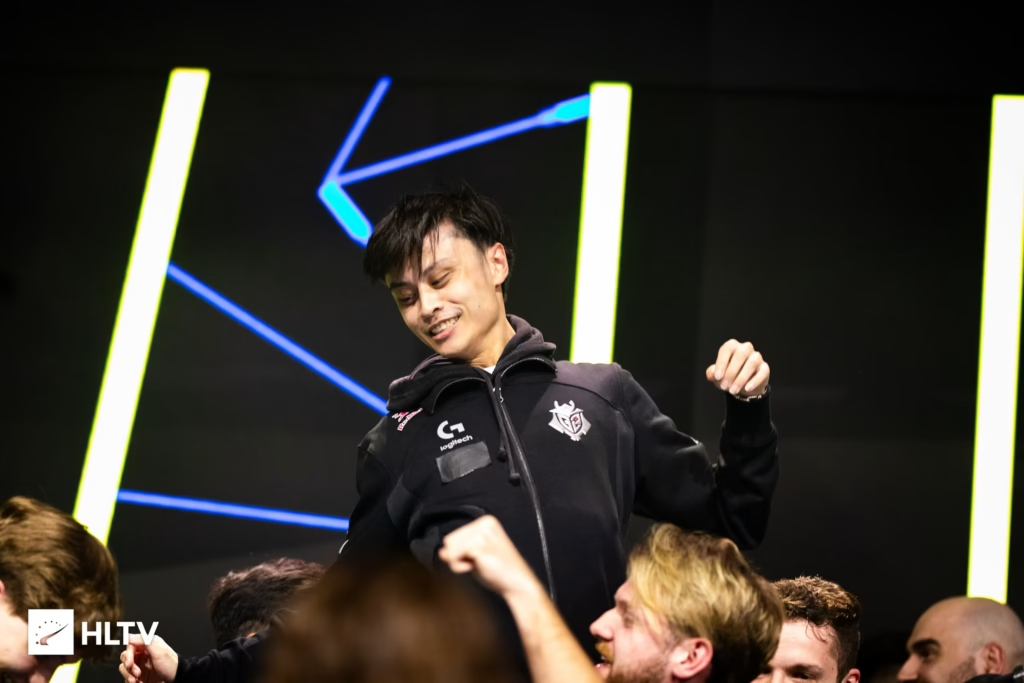
Stewie2K Mouse Settings
Stewie2K uses a low-to-mid sens that leans slightly on the flick-heavy side compared to most pros. His eDPI sits at 920, which is comfortably in the pro average range.
| Setting | Value |
| DPI | 800 |
| Sensitivity | 1.15 |
| eDPI | 920 |
| Zoom Sensitivity | 1.15 |
| Hz (Polling Rate) | 4000 |
| Windows Sensitivity | 6 |
| Raw Input | 1 |
| Mouse Acceleration | 0 |
Key takeaway: An eDPI of 920 (800 DPI at 1.15 sensitivity) is a very common pro baseline — easy to copy without breaking your muscle memory, especially with the modern responsiveness of a 4000Hz polling rate.
Stewie2K Crosshair Settings
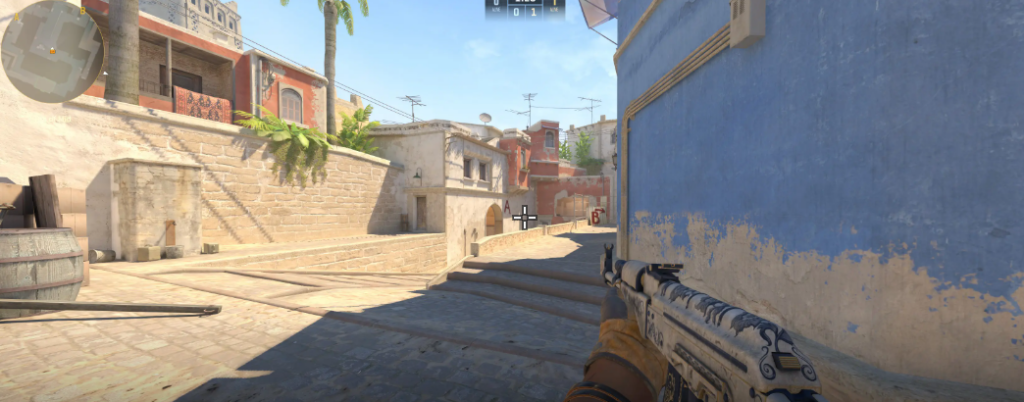
Stewie2K runs a classic static green crosshair with a small center dot. It’s tight, clean, and great for tracking and one-tapping heads with rifles like the ak-47 or m4a1-s.
Crosshair Code
CSGO-Tq4Pn-y8koA-2Xy3w-fKmr3-HpCxHCrosshair Values
| Setting | Value |
| cl_crosshairstyle | 4 |
| cl_crosshairsize | 2 |
| cl_crosshairthickness | 1 |
| cl_crosshairgap | -2 |
| cl_crosshairdot | 0 |
| cl_crosshair_drawoutline | 1 |
| cl_crosshair_outlinethickness | 1 |
| cl_crosshaircolor | 1 (green) |
| cl_crosshair_t | 0 |
| cl_crosshairalpha | 255 |
Paste the code directly into your game settings, or apply the values via console.
Stewie2K Viewmodel Settings
Stewie2K uses a centered, pulled-in viewmodel — a preference shared by many aggressive riflers because it keeps the weapon out of the way during peeks.
viewmodel_offset_x 2
viewmodel_offset_y 1

viewmodel_offset_z -1.5

viewmodel_fov 68

viewmodel_presetpos 0
Stewie2K Video Settings
He runs a stretched 4:3 resolution — the go-to for many former CS:GO pros who prefer bigger player models over peripheral vision.
| Setting | Value |
| Resolution | 1280×960 |
| Aspect Ratio | 4:3 |
| Scaling Mode | Stretched |
| Refresh Rate | 240Hz+ |
| Display Mode | Fullscreen |
In-Game Graphics
| Option | Value |
| Boost Player Contrast | Enabled |
| Wait for Vertical Sync | Disabled |
| Multisampling Anti-Aliasing | 8x MSAA |
| Global Shadow Quality | High |
| Model / Texture Detail | Low |
| Texture Filtering Mode | Anisotropic 16x |
| Shader Detail | Low |
| Particle Detail | Low |
| Ambient Occlusion | Medium |
| High Dynamic Range | Quality |
| FidelityFX Super Resolution | Disabled (Highest Quality) |
| NVIDIA Reflex Low Latency | Enabled + Boost |
If you want a deeper breakdown of what each option actually does, check our cs2 graphic settings guide.
Stewie2K Gaming Gear
Hardware matters just as much as your config. Here’s what Stewie2K plays on:
| Gear | Model |
| Mouse | VAXEE XE-S Wireless (4000Hz) |
| Mousepad | Artisan FX Type-99 Soft XL (Gray) |
| Keyboard | Logitech G PRO X TKL |
| Headset | beyerdynamic DT 900 PRO X |
| Monitor | ZOWIE XL2586X+ (540Hz) |
| Chair | Herman Miller Embody |
The Wooting 60HE with Rapid Trigger featured in previous iterations has quickly become the meta keyboard for many pros — it lets you counter-strafe faster than a traditional mechanical switch, though players like Stewie2K continue to rely on the traditional mechanical precision of layouts like the Logitech G PRO X TKL.
Stewie2K Launch Options
Stewie2K uses a clean set of launch options focused on FPS and refresh rate stability:
-allow_third_party_software -nopreload -forcenovsync -novidRight-click CS2 in Steam → Properties → Launch Options, then paste.
Career Highlights
Stewie2K’s résumé is one of the strongest in NA CS history:
- ELEAGUE Boston 2018 Major Champion with Cloud9 — the first (and still only) all-North American Major win
- Intel Grand Slam Season 2 with Team Liquid (2019)
- IEM Chicago, IEM Sydney, ESL One Cologne titles with Liquid
- Currently competing under Without a Roof
His playstyle — hyper-aggressive entry with a rifle-first approach — is exactly why his crosshair and sensitivity are dialed the way they are.
Should You Copy Stewie2K’s Settings?
Copying pro settings is a great starting point, but they aren’t a magic bullet. Here’s how to use his setup smartly:
- Start with the crosshair and sensitivity — these have the biggest impact on your aim
- Test the stretched resolution — some players hate the FOV loss, others love the bigger models
- Keep your own keybinds — muscle memory beats copying a pro’s binds
- Adjust viewmodel to taste — his pulled-in view isn’t for everyone
If you like this format, we’ve got full breakdowns on other pros too — including karrigan cs2 settings, broky cs2 settings, and tarik cs2 settings.
Final Thoughts
Stewie2K’s config is a rifler’s dream: 800 DPI, 1.15 sens, a tiny green crosshair, and a stretched 4:3 display. It’s built for aggressive entries, tight duels, and the kind of confident peeking that defined his Major run.
Once your settings feel right, give them a week before you judge them. GLHF.