
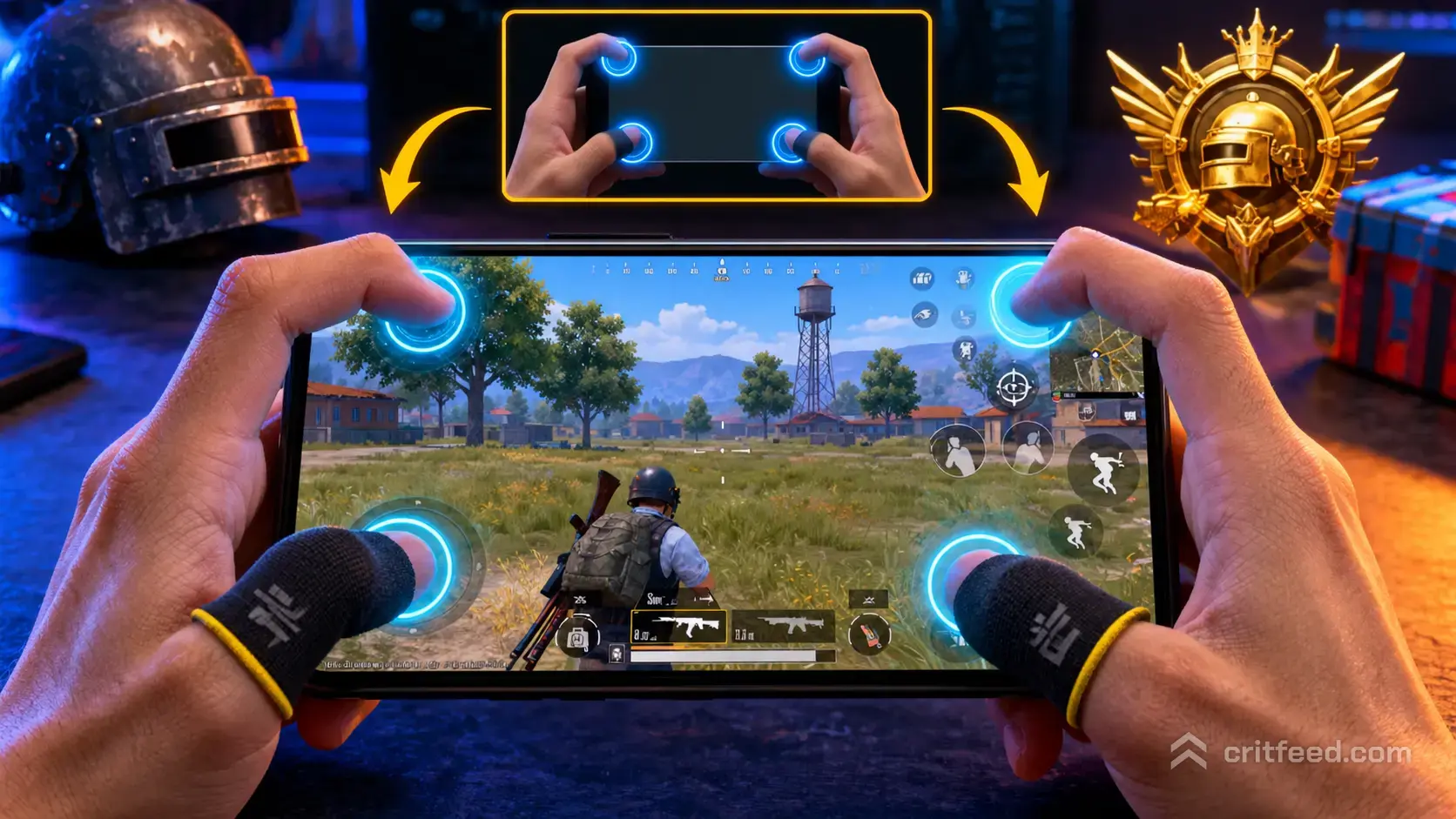
If your thumbs are still doing all the work, you are leaving kills on the table. The pubg 4 finger claw layout is the single biggest control upgrade most players can make, letting you move, aim, shoot, and jump at the exact same moment. This guide breaks down the button placement, the sensitivity logic behind it, and the drills that make it stick.
What a 4 Finger Claw Layout Actually Means
A claw grip uses your index fingers on the top of the screen while your thumbs stay on the bottom. In a 4 finger setup, each finger owns a dedicated job so no action blocks another.
- Left thumb: movement joystick
- Right thumb: aim and camera control
- Left index: jump, crouch, or ADS
- Right index: fire button, scope, and peek
The payoff is simple: you can strafe, aim, shoot, and jump at once. On a thumbs-only setup, pressing fire usually means your right thumb leaves the aim stick for a split second. That split second is where you lose fights.
Why Pros Use It
Nearly every competitive player at the PMGC level runs some form of claw or finger-count beyond two. The reason is tracking. When your right thumb never leaves the aim stick, your crosshair stays glued to the target through the entire burst. Combine that with gyroscope and you get console-tier precision on a phone.
If you are still learning the basics of the game before touching controls, our pubg mobile beginner guide covers the fundamentals first.
The Standard 4 Finger Claw HUD Layout
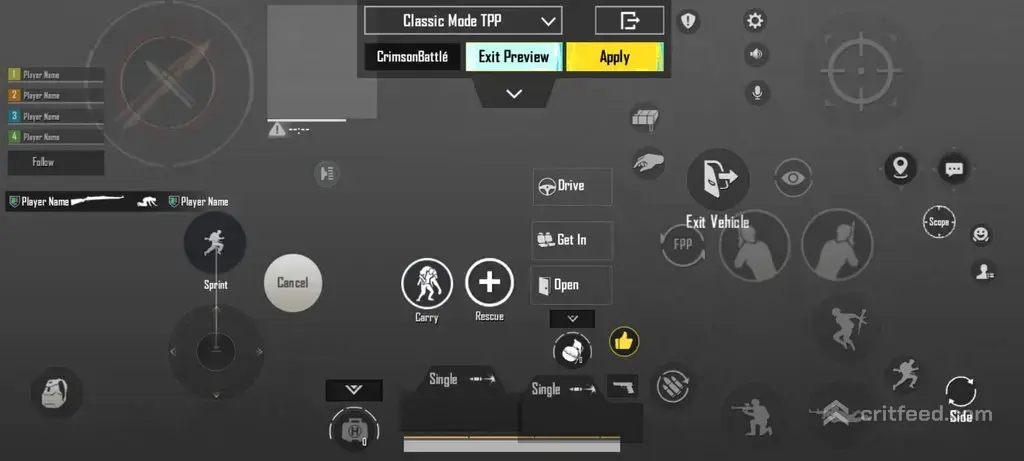
Here is the baseline layout we recommend. Tweak it to your hand size, but the logic should stay the same: fire and jump on the index fingers, aim and movement on the thumbs.
| Finger | Primary Button | Secondary Button |
|---|---|---|
| Left thumb | Movement joystick | Reload (bottom left) |
| Right thumb | Aim and camera | Crouch, prone |
| Left index | Jump | ADS or scope toggle |
| Right index | Fire | Scope zoom, peek right |
Key placement tips:
- Put the fire button in the top right corner so your right index naturally rests there.
- Put the jump button in the top left, mirrored to the fire button.
- Add a second fire button near the scope so you can shoot without moving your index.
- Keep reload and med buttons on the bottom edges, within thumb reach.
- Enlarge the aim and fire buttons slightly. Small buttons cause misclicks on tilt.
Sensitivity Settings That Match the Layout
A claw layout changes how you aim, so your old thumb-era sensitivity will feel wrong. The right index can press fire without wobbling the camera, which means you can push camera sensitivity higher without losing control.
Use these as a starting point, then adjust in Training Mode.
Camera Sensitivity (no scope)
| Scope | Suggested Value |
|---|---|
| TPP (free look) | 95-110% |
| FPP | 95-105% |
| Red Dot, Holo, Aim | 50-60% |
| 2x | 40-50% |
| 3x | 28-32% |
| 4x | 22-26% |
| 6x | 14-18% |
| 8x | 8-12% |
ADS Sensitivity
Keep ADS values roughly 10-15% lower than Camera values for the same scope. ADS controls recoil pull-down, and lower numbers give you a cleaner spray.
Gyroscope (always on, scope on)
This is where claw truly shines. With both index fingers free, you can tilt the phone for micro-adjustments while shooting.
| Scope | Gyro Value |
|---|---|
| TPP, FPP | 300-400% |
| Red Dot | 300% |
| 2x | 280% |
| 3x | 220% |
| 4x | 180% |
| 6x | 90-120% |
| 8x | 60-80% |
Pair these with the best guns in pubg mobile for your range, and recoil becomes predictable instead of random.
Device Context Matters
Your layout has to match your phone. A 6.1 inch iPhone and an 8.4 inch tablet are not the same canvas.
- Small phones (under 6.3 inches): shrink buttons slightly and pull them inward. Index fingers cramp near the corners.
- Standard phones (6.3 to 6.8 inches): the default layout above works well.
- Tablets: spread buttons wider and increase size. Reach is the enemy, not space.
- High refresh rate screens (90Hz, 120Hz): enable the highest frame rate your device supports. Claw inputs only help if the game registers them fast enough.
If you are torn between a controller and claw, we broke down pubg mobile controller support in a separate guide. Short answer: ranked still favors touch and gyro.
The 7-Day Transition Plan
Switching to claw feels awful for the first few hours. Your index fingers will not know where to go, and your K/D will drop. That is normal. Here is how to push through it.
Day 1-2: Training Ground Only
- Spend 30-45 minutes shooting dummies.
- Focus on pressing fire without looking at the button.
- Do not touch ranked yet.
Day 3-4: TDM and Arcade
- Jump into Team Deathmatch for fast repetitions.
- Practice jump-shots and crouch-spam mid-fight.
- Mistakes are cheap here. Make them.
Day 5-6: Casual Classic
- Move to Erangel or pubg mobile sanhok map for real engagements.
- Focus on gyro tracking during full-auto bursts.
Day 7 Onwards: Ranked
- Start pushing tier. By now the layout should feel invisible.
Most players notice their fights ending faster within two weeks. A month in, going back to two-finger feels like playing underwater.
Common Mistakes to Avoid
- Mapping too many buttons to the index fingers. Two per finger is the ceiling. More than that and you fumble.
- Keeping scope-up as a toggle. Set it to hold if your index can reach it. Toggle creates panic moments where you forget which state you are in.
- Ignoring button size. If you misclick fire during a close push, the button is too small or too far from your resting index position.
- Turning gyro off because it feels weird. Gyro and claw are built for each other. Give it the full seven days before judging.
- Copying a pro layout exactly. Pros have different hands, phones, and grips. Use their layouts as a reference, not a template.
For more habit-level upgrades, our pubg mobile tips and tricks collection pairs well with any claw transition.
5 Finger vs 4 Finger: Should You Keep Going?
A 4 finger claw is the sweet spot for most players. A 5 or 6 finger setup adds thumbs-on-screen while the index fingers are already busy, which usually means a secondary left-thumb action like a dedicated jump button on the lower left of the screen.
Stick with 4 finger if:
- You play mostly ranked and want consistency.
- Your phone is under 6.5 inches (there is no room for more buttons).
- You are still building muscle memory.
Try 5 or 6 finger if:
- You already hit Ace or Conqueror and want finer control. See how pubg mobile ranks break down if you are not sure where you sit.
- You compete in scrims or tournaments.
- You can comfortably hold the phone with the pads of your palms.
Layout Codes and Importing
PUBG MOBILE lets you share HUD layouts through codes. In the game, go to Settings > Basic > Layout > Customize > Import Layout, paste the code, and save. Always test an imported layout in Training Ground before taking it into ranked. A code built for a 6.7 inch phone will have buttons in awkward places on a 6.1 inch screen.
Our advice: do not chase viral codes. Build your own on top of a known pro reference, moving one button at a time until the whole screen feels natural.
The Bottom Line
A 4 finger claw layout is less about copying a pro and more about freeing your thumbs to do only two things: move and aim. Get the fire and jump buttons under your index fingers, match your gyro sensitivity to the new freedom, and give yourself a full week before judging the result. The players who stick with it climb faster, win more close fights, and almost never go back.