
Looking to copy the exact rain CS2 settings used by one of the most consistent riflers in Counter-Strike history? Håvard “rain” Nygaard has been a top-tier entry fragger since 2015, and his config is a proven blueprint for aggressive T-side rifling. Below, we break down his full setup — crosshair, sensitivity, viewmodel, video, and gear.
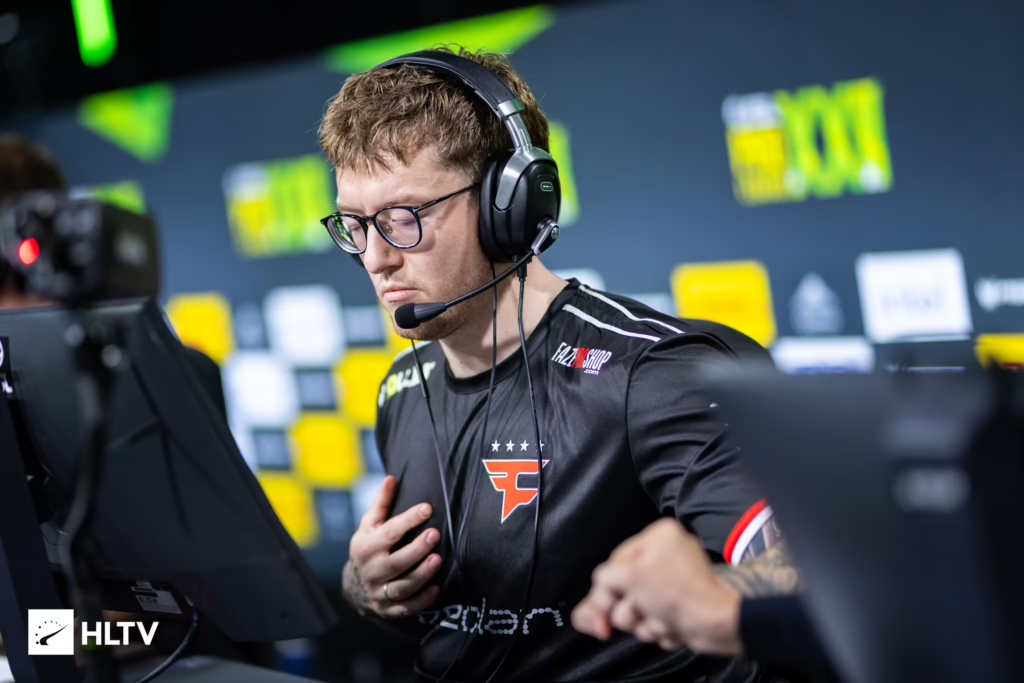
Who Is rain?
rain is a Norwegian professional Counter-Strike player currently on the 100 Thieves roster. Best known for his long tenure with FaZe Clan (including the IEM Katowice Major 2022 championship run), he’s built his career on precise spraying, entry duels, and clutch AK-47 headshots.
If you’re looking for a config that supports aggressive, movement-heavy rifling, this one delivers.
rain CS2 Mouse Settings
rain plays on a low-DPI, low-sensitivity setup that rewards micro-adjustments and precise crosshair placement — a common trait among elite riflers.
| Setting | Value |
|---|---|
| DPI | 400 |
| Sensitivity | 1.9 |
| eDPI | 760 |
| Zoom Sensitivity | 1.0 |
| Hz (Polling Rate) | 1000 |
| Windows Sensitivity | 6 |
| Raw Input | On |
| Mouse Acceleration | Off |
Key takeaway: An eDPI of 760 sits on the lower end of the pro scale, giving him more room for controlled ak-47 spray transfers without overshooting.
rain CS2 Crosshair Settings
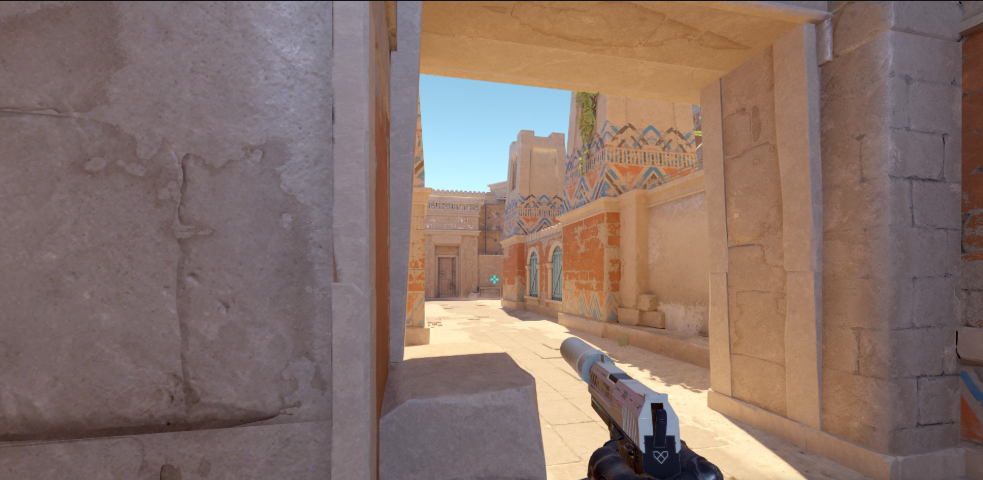
His crosshair is a classic static cyan dot-less design — small, clean, and easy to place on head-level angles.
cl_crosshairstyle 4cl_crosshairsize 2
cl_crosshairthickness 0
cl_crosshairgap -2
cl_crosshair_drawoutline 1
cl_crosshair_outlinethickness 1
cl_crosshaircolor 1
cl_crosshaircolor_r 0
cl_crosshaircolor_g 255
cl_crosshaircolor_b 255
cl_crosshairdot 0
cl_crosshairalpha 255
Import Code
CSGO-hFRKe-fVzhP-8LdNU-P9C7Q-VdxDPPaste this into the in-game crosshair share menu to instantly copy his exact setup.
rain CS2 Viewmodel Settings
rain runs a desktop viewmodel — pushed further from the screen for a wider field of view on his hand and weapon.
viewmodel_offset_x 2.5viewmodel_offset_y 0
viewmodel_offset_z -1.5
viewmodel_fov 68
viewmodel_presetpos 3
This preset is popular with players who want more screen visibility during peeks and pre-fires.
rain CS2 Video Settings
For CS2, rain prioritizes frames and clarity over eye candy. Here’s his full video config:
| Setting | Value |
|---|---|
| Resolution | 1280×960 |
| Aspect Ratio | 4:3 |
| Scaling Mode | Stretched |
| Display Mode | Fullscreen |
| Refresh Rate | 240 Hz |
| Boost Player Contrast | Enabled |
| Wait for Vertical Sync | Disabled |
| Multisampling Anti-Aliasing | CMAA2 |
| Global Shadow Quality | High |
| Model / Texture Detail | Low |
| Texture Filtering Mode | Bilinear |
| Shader Detail | Low |
| Particle Detail | Low |
| Ambient Occlusion | Disabled |
| High Dynamic Range | Performance |
| FidelityFX Super Resolution | Disabled (Highest Quality) |
| NVIDIA Reflex Low Latency | Enabled + Boost |
1280×960 stretched remains the go-to among old-school pros — bigger models, easier tracking, and a familiar look carried over from CS:GO. For a deeper dive into optimizing your own config, check our cs2 graphic settings guide.
rain CS2 Launch Options
-novid -tickrate 128 +fps_max 400 -allow_third_party_software-novid— Skips the intro logo+fps_max 400— Caps FPS to reduce input inconsistency-allow_third_party_software— Enables tools like NVIDIA overlay
rain Gear & Hardware
Pro-level settings need pro-level hardware. Here’s what rain uses:
| Peripheral | Product |
|---|---|
| Mouse | Logitech G Pro X Superlight 2 |
| Keyboard | Wooting 60HE |
| Headset | Logitech G Pro X |
| Monitor | BenQ ZOWIE XL2566K (360 Hz) |
| Mousepad | Logitech G640 |
The Wooting 60HE is a big trend among current pros thanks to its analog Rapid Trigger keys — game-changing for counter-strafing.
How to Play Like rain
Copying settings is step one. To actually get value from this config, focus on:
- Crosshair placement at head level — rain never lets his crosshair drop. Practice this on retake maps or with bots.
- Short bursts with the m4a4 — his CT rifling is built on 2-4 bullet taps, not full sprays.
- Aggressive entries — he takes duels early in the round. Low sens helps him hit those quick first-bullet flicks.
- AWP flexibility — rain isn’t a primary sniper, but he’ll pick up the awp on force rounds. Practice both roles.
For contrast, compare his config to other star riflers like broky cs2 settings or the in-game leader style of karrigan cs2 settings.
Should You Copy rain’s Settings?
Yes — with one caveat. His sensitivity is a great starting point, but your mousepad size, arm-vs-wrist aim, and monitor refresh rate all affect what “feels right.” Start with his eDPI of 760, then adjust by ±100 based on comfort.
If you’re a new rifler learning the ropes, this config gives you:
- Clean, readable crosshair
- Low-sens precision without going too slow
- Max-FPS video setup
- Battle-tested by 10+ years of pro play
Final Thoughts
The rain CS2 settings package is one of the most well-rounded pro configs you can copy. It’s aggressive enough for entry fragging, precise enough for spraying at range, and optimized for high-refresh competitive play.
Want more pro configs? Explore our flamez cs2 settings and w0nderful cs2 settings breakdowns next.