
Want to lock down like one of the best AWPers in the world? This complete breakdown of sh1ro CS2 settings covers every crosshair value, sensitivity number, viewmodel tweak, and video option used by Team Spirit’s Russian sniper. Copy it, tune it, and take your aim to the next level.
Who Is sh1ro?
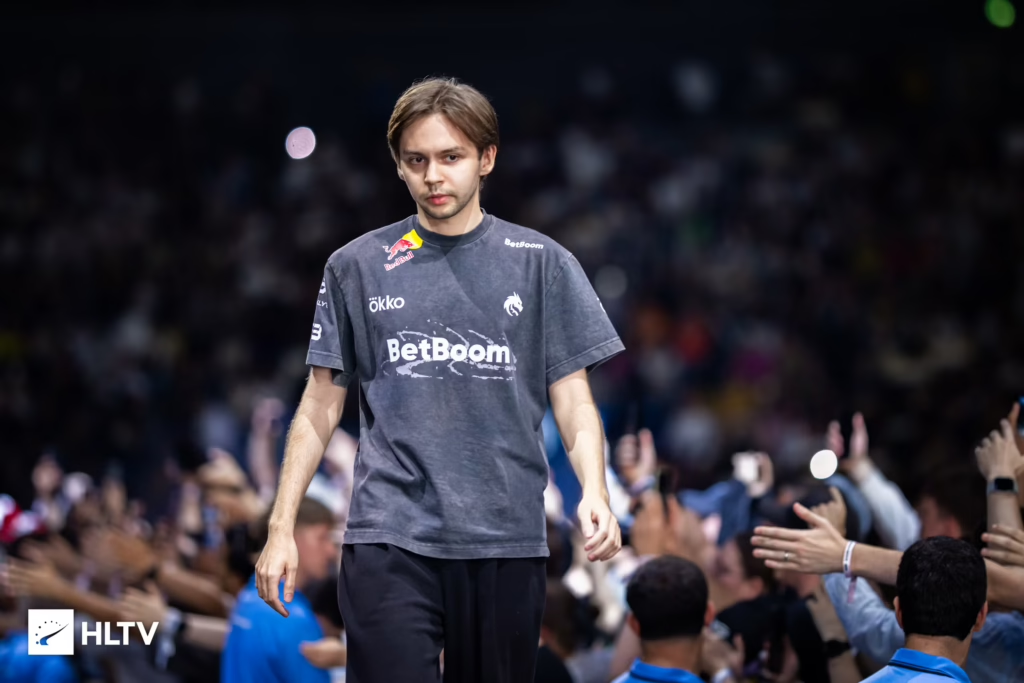
Dmitry “sh1ro” Sokolov is a Russian professional Counter-Strike 2 player currently competing for Team Spirit as the team’s primary AWPer. Known for his ice-cold clutches and consistently high rating, sh1ro has one of the highest average K/Ds in the top tier of pro CS2 — sitting around 1.40 — and is widely considered a top-1 world contender at his role.
His setup is minimalist, precise, and built for one thing: making the AWP feel like an extension of the hand.
sh1ro CS2 Sensitivity Settings
sh1ro plays on a moderate-low sensitivity that gives him tight micro-adjustments for AWP flicks without sacrificing his ability to spray with the ak-47 on eco-recovery rounds.
| Setting | Value |
|---|---|
| DPI | 400 |
| In-game sensitivity | 1.60 |
| eDPI | 640 |
| Zoom sensitivity | 1.00 |
| Windows sensitivity | 6 |
| Polling rate | 1000 Hz |
| Raw input | 1 |
| Mouse acceleration | 0 |
Key takeaway: 640 eDPI is a sweet spot used by many top AWPers — low enough for stable scoped shots, high enough for quick repositioning.
sh1ro CS2 Crosshair
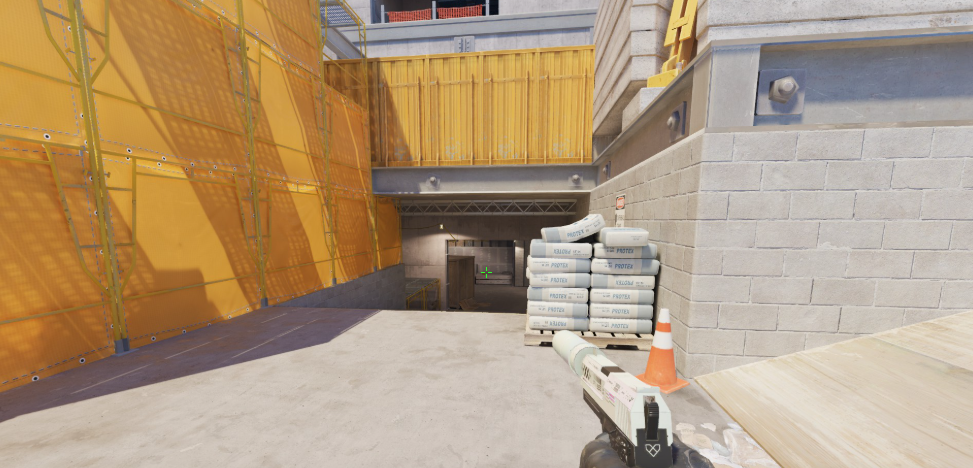
His crosshair is a classic static green cross with a small gap — clean, readable on every map, and easy to line up for pre-aimed angles.
cl_crosshairstyle 4cl_crosshairsize 2
cl_crosshairthickness 1
cl_crosshairgap -2
cl_crosshair_drawoutline 0
cl_crosshaircolor 1
cl_crosshair_dynamic_splitdist 7
cl_crosshair_dynamic_maxdist_splitratio 0.35
cl_crosshairalpha 255
cl_crosshair_recoil 0
Copy the whole block into your console (or paste into your autoexec.cfg) and you’ll be aiming exactly like sh1ro.
Crosshair Code
For a one-click import in CS2, use his share code:
CSGO-hORzB-JBiKt-fmY9L-fJEuY-jUeHCsh1ro CS2 Viewmodel Settings
sh1ro uses the classic desktop viewmodel — weapon slightly right, no ultra-low FOV tricks. This helps him keep peripheral information visible while keeping the awp scope predictable.
viewmodel_fov 68viewmodel_offset_x 2.5
viewmodel_offset_y 0
viewmodel_offset_z -1.5
viewmodel_presetpos 3
cl_bob_lower_amt 5
cl_bobamt_lat 0.1
cl_bobamt_vert 0.1
cl_viewmodel_shift_left_amt 0.5
cl_viewmodel_shift_right_amt 0.25
sh1ro CS2 Video Settings
sh1ro runs a stretched 4:3 resolution — a preference shared by many CIS-region pros. Bigger character models and a wider hitbox feel help with tracking, especially through smokes.
| Setting | Value |
|---|---|
| Resolution | 1280 × 960 |
| Aspect Ratio | 4:3 (Stretched) |
| Display Mode | Fullscreen |
| Refresh Rate | 240 Hz+ |
| Boost Player Contrast | Enabled |
| Wait for Vertical Sync | Disabled |
| Multisampling AA | 2x MSAA |
| Global Shadow Quality | High |
| Model / Texture Detail | Low |
| Texture Filtering | Bilinear |
| Shader Detail | Low |
| Particle Detail | Low |
| Ambient Occlusion | Disabled |
| High Dynamic Range | Quality |
| FidelityFX Super Resolution | Disabled (Highest Quality) |
| NVIDIA Reflex Low Latency | Enabled + Boost |
If you’re not sure how to tune your own client, our full cs2 graphic settings guide walks through every option and what actually matters for FPS.
sh1ro Launch Options
Keep launch options simple. sh1ro’s are:
-novid -tickrate 128 -freq 240 -console -allow_third_party_softwareWhy this matters: -novid skips the intro, -freq 240 locks your monitor refresh, and -console opens the developer console on launch.
sh1ro’s Gear Setup
The hardware is just as important as the config. Here’s what powers his aim:
- Mouse: Logitech G Pro X Superlight
- Mousepad: Artisan Zero XL Soft
- Keyboard: Wooting 60HE
- Headset: HyperX Cloud II
- Monitor: ZOWIE XL2566K (360 Hz)
- Chair: Secretlab Titan Evo
The Wooting 60HE is a growing pick among pros thanks to its Rapid Trigger feature, which makes counter-strafing feel faster and more responsive.
How to Copy sh1ro’s Config
- Open Steam → Counter-Strike 2 → right-click → Properties
- Paste the launch options into the box.
- Boot the game, open the console with
~ - Paste the crosshair and viewmodel commands.
- Set your DPI to 400 and in-game sensitivity to 1.60.
- Switch to 1280×960 stretched in Video Settings.
- Save to your
autoexec.cfgso it loads every match.
Should You Play Like sh1ro?
sh1ro’s setup is optimized for AWPing and passive holds. If you’re an entry fragger, a slightly higher sensitivity and lower viewmodel FOV might feel better. Compare with other pro AWPer configs like w0nderful cs2 settings and torzsi cs2 settings to find your fit.
Rifler mains should check out kscerato cs2 settings or broky cs2 settings for comparisons.
Final Thoughts
sh1ro’s config is proof that less is more — a clean static crosshair, a moderate sensitivity, a stretched resolution, and disciplined game sense do the heavy lifting. You won’t magically become a top-1 AWPer by copying these numbers, but you’ll be playing on the same foundation the pros trust.