
Benjamin “blameF” Bremer stands out as one of Counter-Strike’s most physically imposing and tactically brilliant in-game leaders. His blameF CS2 settings reflect a methodical approach that balances fragging power with strategic oversight making his config worth studying for any aspiring player.
In this guide, we break down his complete setup including mouse settings, crosshair, viewmodel, video configuration, and keybinds.
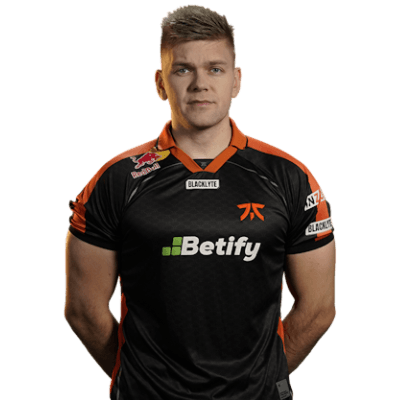
blameF’s Mouse Settings
The Danish IGL uses relatively low sensitivity combined with a high polling rate for precise aim during rifle duels and clutch situations.
| Setting | Value |
|---|---|
| DPI | 800 |
| In-Game Sensitivity | 0.9 |
| eDPI | 720 |
| Zoom Sensitivity | 1.0 |
| Polling Rate | 1000 Hz |
| Windows Sensitivity | 6 |
| Raw Input | On |
His 720 eDPI sits in the lower range among professionals, requiring significant mouse pad space for full 180-degree turns. This setup prioritizes precision over speed—ideal for holding angles and landing crucial AK-47 spray transfers.
Crosshair Settings
blameF uses a clean, static crosshair that provides clear visibility without visual clutter during firefights.
cl_crosshair_drawoutline 0cl_crosshair_dynamic_maxdist_splitratio 0.35
cl_crosshair_dynamic_splitalpha_innermod 1
cl_crosshair_dynamic_splitalpha_outermod 0.5
cl_crosshair_dynamic_splitdist 7
cl_crosshair_outlinethickness 1
cl_crosshair_sniper_width 1
cl_crosshair_t 0
cl_crosshairalpha 255
cl_crosshaircolor 1
cl_crosshaircolor_b 0
cl_crosshaircolor_g 255
cl_crosshaircolor_r 0
cl_crosshairdot 0
cl_crosshairgap -3
cl_crosshairsize 1.5
cl_crosshairstyle 4
cl_crosshairthickness 0
cl_crosshairusealpha 1
Key characteristics:
- Green color for maximum visibility on most map surfaces
- Small size (1.5) keeps the crosshair compact for headshot precision
- Negative gap (-3) creates a tight center point
- Style 4 ensures completely static behavior
This crosshair works exceptionally well when holding common angles on maps like Mirage or Inferno, where precise placement matters more than tracking moving targets.
Video Settings
blameF prioritizes maximum frame rates over visual fidelity—standard practice among professionals who need consistent performance.
| Setting | Value |
|---|---|
| Resolution | 1920×1080 |
| Aspect Ratio | 16:9 |
| Scaling Mode | Native |
| Display Mode | Fullscreen |
Advanced Video Settings
| Setting | Value |
|---|---|
| Boost Player Contrast | Enabled |
| V-Sync | Disabled |
| Multisampling Anti-Aliasing | 4x MSAA |
| Global Shadow Quality | Medium |
| Model/Texture Detail | Low |
| Texture Filtering Mode | Bilinear |
| Shader Detail | Low |
| Particle Detail | Low |
| Ambient Occlusion | Disabled |
| High Dynamic Range | Performance |
| FidelityFX Super Resolution | Disabled |
Unlike many pros who use stretched resolutions, blameF sticks with native 1080p. This provides accurate hitboxes and natural player proportions—beneficial for an IGL who needs to process information quickly across the entire screen.
Viewmodel Settings
His viewmodel configuration keeps the weapon model compact and unobtrusive.
viewmodel_fov 68viewmodel_offset_x 2.5
viewmodel_offset_y 0
viewmodel_offset_z -1.5
viewmodel_presetpos 3
cl_righthand 1
The 68 FOV with offset adjustments pushes the weapon toward the bottom-right corner, maximizing screen real estate. When wielding weapons like the M4A1-S or AWP, this setup ensures minimal visual obstruction during crucial moments.
Keybinds
blameF uses a practical keybind layout optimized for quick utility access during executes.
| Action | Key |
|---|---|
| Jump | Space / Mouse Wheel Down |
| Crouch | Left Ctrl |
| Walk | Left Shift |
| Use | E |
| Reload | R |
| Flashbang | 4 |
| Smoke Grenade | Mouse 4 |
| HE Grenade | Mouse 5 |
| Molotov | C |
Having grenades bound to mouse buttons allows for faster utility deployment without removing fingers from movement keys. This proves essential when executing complex strategies that require precise timing—check out our CS2 binds guide for more optimization tips.
Launch Options
-novid -tickrate 128blameF keeps launch options minimal. The -novid flag skips the intro video, while -tickrate 128 ensures offline practice matches run at competitive tick rates. For additional optimization commands, see our CS2 launch options guide.
Why These Settings Work
blameF’s configuration reflects his dual role as both IGL and primary rifler:
- Low sensitivity (720 eDPI) provides the precision needed for consistent rifle aim
- Native resolution offers accurate visual information for reading enemy positions
- Static crosshair eliminates distractions during high-pressure situations
- Minimal viewmodel maximizes visibility for calling strats mid-round
His setup demonstrates that simplicity often trumps complexity. Rather than chasing gimmicks, blameF relies on fundamentally sound settings refined over years of professional play.
Conclusion
The blameF CS2 settings prioritize precision, clarity, and consistency exactly what you’d expect from a top-tier IGL who also needs to frag at an elite level. While copying pro settings won’t instantly improve your rank, understanding the reasoning behind each choice helps you optimize your own config.
Experiment with these values as a starting point, then adjust based on your hardware and preferences. Give yourself time to settle in as you climb the CS2 ranks.